
YouTube is the second biggest search engine after Google and has hours of video content uploaded every minute but time and time again I discover it being used wrong. The biggest mistake any company can make is treating YouTube like a video archive. It’s more than just a place to host video to embed on your website.
If you make the most out of YouTube , you’ll get just as much engagement from your audience, if not more. So it’s time to stop doing the bare minimum on the platform and start using it intentionally.
First things first: don’t just upload videos you’ve designed for other social channels because you need some central place to put them all. YouTube is not a video archive. Your audience isn’t interested in a load of 30 second ads made for Linkedin.
Before you do anything else make sure you’ve done these two things:
- Have a spring clean and remove/archive videos which don’t belong on YouTube
- Write a channel strategy specifically for YouTube
Here are some top tips for what to consider in that strategy:
Choose descriptive titles
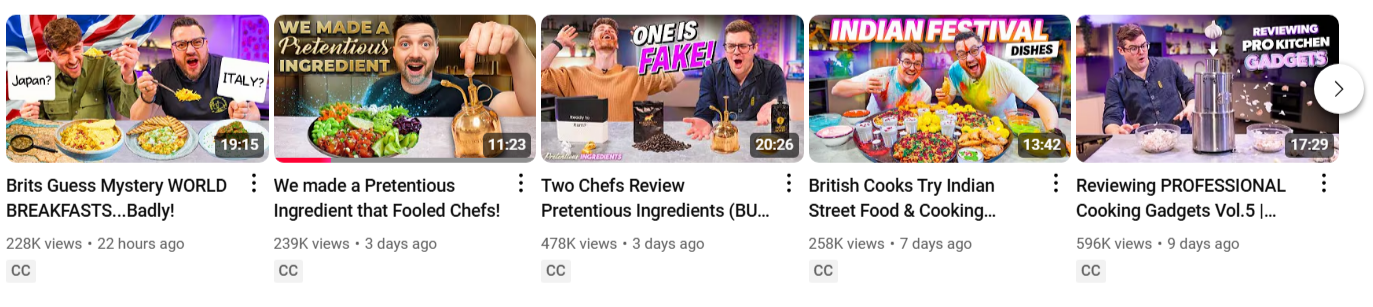
Look at the titles top YouTubers and channels use. Now look at yours. There’s probably quite a difference. Experienced YouTubers know you need a catchy, descriptive title, something people will search for. It shouldn’t be something arty or vague. Length doesn’t matter here, just tell people exactly what’s in the video.
Provide interesting content
While shortform video platforms like TikTok and Instagram Reels are all about short, quick hits of content, YouTube is designed for much longer video content. In fact YouTube ads favour longer videos leading to most established channels posting videos around 30 minutes long. Do some research into your potential audience on YouTube and create videos for specifically them. Make it interesting, make it valuable, make it humorous, make it entertaining. Create content which shows your personality whilst also showing who you are and what you do. Do this and you’ll build up a subscriber base who not only watch your videos but become actual fans of the channel.
Remember: Unverified YouTube accounts can only post up to 15 minutes.

Vat19 sells fun games, quirky objects and prank supplies. Instead of doing just posting standard product ads on their YouTube channel, they come up with interesting and funny ways to use their products through challenges, games and viral content. Their ‘Hidden in plain sight‘ series is an entertaining highlight!
Pick your thumbnail
If you only had one picture to sell your video, would you leave it down to a random screenshot picked for you by YouTube? Use some images from your video to design a thumbnail that catches people’s attention. Successful thumbnails often include text to complement the title of the video. This is another occasion where looking at successful YouTube accounts can be a helpful guide.

Use the comments section
YouTube is a social media platform just like TikTok, Facebook and Instagram. That means the social, conversational aspect of the channel is key to using it successfully. Turning off comments completely sends a message you’re not interested in what your audience has to say. Make sure to spend some time in the comments section of your videos. Like the comments, reply, start conversations. It might also be a great place to look for new video suggestions from your fans.
Make the most out of your description
Every video has a description area with a 5000 character limit, so why not make the most of it? Don’t forget, YouTube uses the description to help index the search and the first sentence or two will appear within the search results. As well as a good description of the video you could also include useful links or information like the music included in the video for example. I’ve also seen channels paste in the entire video transcript.
And finally: The community is more than the videos
If you visit a channel’s profile page, you’ll notice a tab called Posts. Here you can complement your videos content and build a community of fans by posting more content. It could be behind the scenes images from a video shoot, text updates, teasers for future videos, requests for feedback or a poll. If you want to make the most out of all YouTube has to offer, include the posts tab in your content strategy.
Have any questions? Let me know in the comments below.
Looking for more digital marketing advice for your business or charity? Get in touch to see how I can help you.
 Tallie Proud - Digital Mentor
Leave a comment